Environment Variables Configure your project through environment variables to enable all required third-party integration services
VibeAny supports two ways to configure environment variables:
Via environment variable files — for values that rarely change, such as database connection URLs and auth secrets.
Via the admin config panel — for values that change frequently. VibeAny provides a dynamic config panel where you can modify variables at any time, such as payment keys and email server settings.
Variable Description VITE_APP_URL Site URL
See the database setup documentation for more detailed instructions.
Variable Description DATABASE_URL Database connection URL
See the authentication setup documentation for more detailed instructions.
Variable Description ADMIN_EMAILS Admin email addresses BETTER_AUTH_SECRET Auth secret key BETTER_AUTH_URL Auth URL
BETTER_AUTH_SECRET can be generated on the better-auth website, or click the button below to generate one:
If you want to use OAuth (GitHub or Google login), configure the following:
Variable Description GITHUB_CLIENT_ID GitHub OAuth Client ID GITHUB_CLIENT_SECRET GitHub OAuth Client Secret GOOGLE_CLIENT_ID Google OAuth Client ID GOOGLE_CLIENT_SECRET Google OAuth Client Secret
VibeAny uses TURNSTILE as a captcha service to protect your website. You need to register an account on the TURNSTILE website and create a site to get the site key. See the captcha setup documentation for more details.
Variable Description TURNSTILE_SECRET_KEY TURNSTILE secret key, can be generated in the Cloudflare Dashboard VITE_TURNSTILE_SITE_KEY TURNSTILE site key, can be obtained from the Cloudflare Dashboard VITE_TURNSTILE_CAPTCHA_ENABLED Enable TURNSTILE captcha, true to enable, false to disable
You can use the Resend service or a custom email server. VibeAny recommends using Resend. See the email setup documentation for more details.
For Resend, you need to create an API key at Resend .
Variable Description EMAIL_PROVIDER Email provider, resend or custom EMAIL_FROM Sender email, e.g.: VibeAny <noreply@auth.vibeany.dev> RESEND_API_KEY Resend API key
For a custom email server, configure the following variables. Refer to your email provider's documentation for details:
Variable Description EMAIL_HOST Email server host EMAIL_ADDRESS Sender email address EMAIL_USER Sender username EMAIL_PASSWORD Sender password
See the payment setup documentation for more details.
Variable Description VITE_STRIPE_PUBLISHABLE_KEY Stripe publishable key STRIPE_SECRET_KEY Stripe API secret key STRIPE_WEBHOOK_SECRET Stripe webhook secret VITE_STRIPE_PRO_MONTHLY_PRICE_ID Stripe pro monthly price ID VITE_STRIPE_PRO_YEARLY_PRICE_ID Stripe pro yearly price ID VITE_STRIPE_LIFETIME_PRICE_ID Stripe lifetime price ID
Variable Description CREEM_X_API_KEY Creem API key CREEM_TEST_MODE Creem test mode, true to enable, false to disable CREEM_WEBHOOK_SECRET Creem webhook secret VITE_CREEM_PRO_MONTHLY_PRODUCT_ID Creem pro monthly product ID VITE_CREEM_LIFETIME_PRODUCT_ID Creem lifetime product ID
To simplify developer configuration, VibeAny integrates the credit system into the admin panel. You can modify credit settings at any time in the admin config panel, such as credit amounts and expiration periods. See the credit setup documentation for more details.
See the storage setup documentation for more details.
Variable Description STORAGE_PROVIDER Storage provider, s3 or custom S3_ACCESS_KEY S3 access key S3_SECRET_KEY S3 secret key S3_REGION S3 region S3_BUCKET S3 bucket
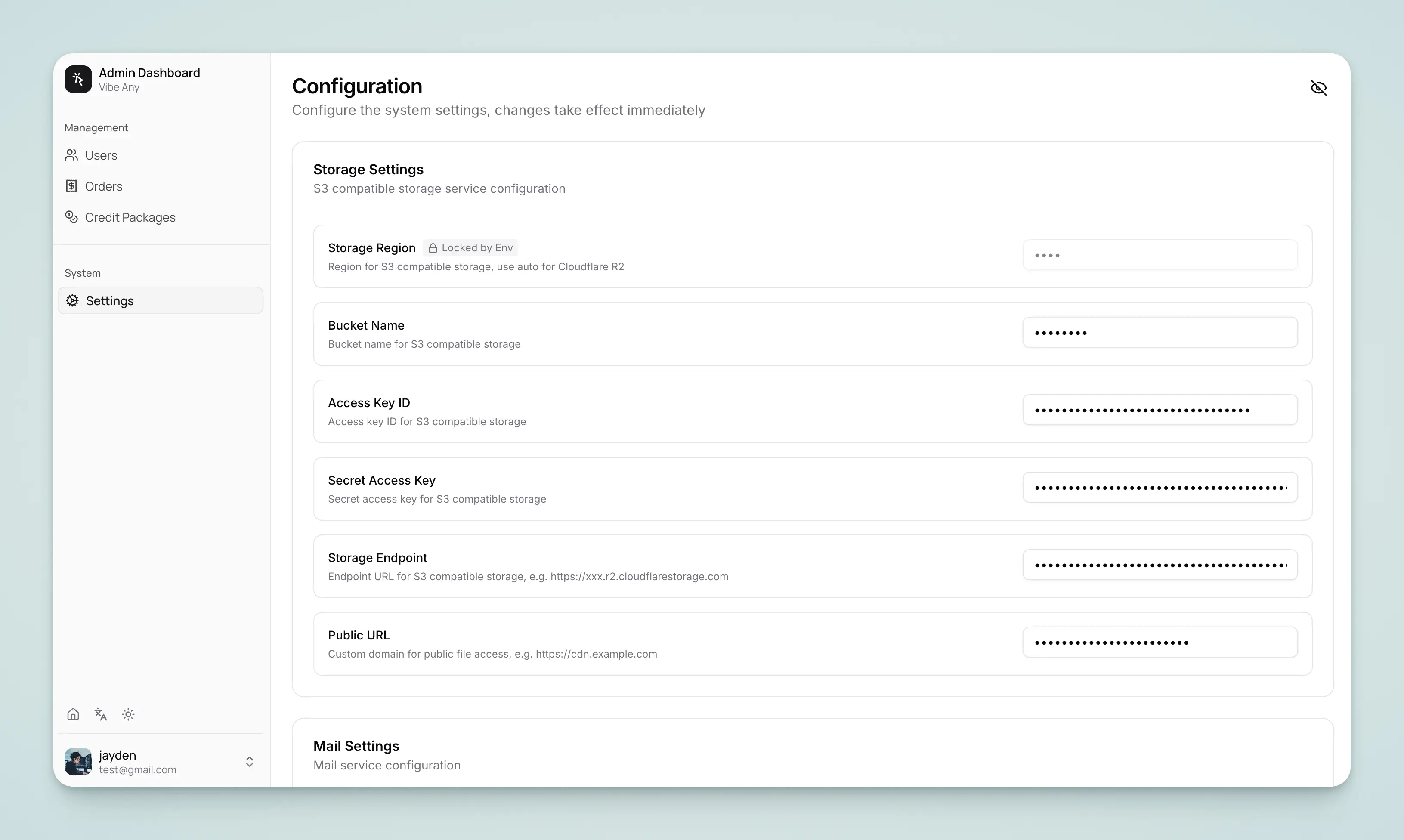
VibeAny provides a dynamic config panel where you can modify the following settings at any time without restarting the service.
Priority Note
Environment variable file configuration takes priority over the admin panel:
Server-side config: If .env has STRIPE_SECRET_KEY=sk_xxx, the admin panel's payment_stripe_secret_key will be ignored
Client-side config (public_ prefix): If .env has VITE_CREDIT_ENABLE=true, the admin panel's public_credit_enable will be ignored
You can select the payment provider in the admin panel: stripe, creem, paypal, wechat, alipay
Config Item Environment Variable Stripe Secret Key STRIPE_SECRET_KEYStripe Webhook Secret STRIPE_WEBHOOK_SECRET
Config Item Environment Variable Creem X API Key CREEM_X_API_KEYCreem Test Mode CREEM_TEST_MODECreem Webhook Secret CREEM_WEBHOOK_SECRET
Config Item Environment Variable PayPal Client ID PAYPAL_CLIENT_IDPayPal Client Secret PAYPAL_CLIENT_SECRETPayPal Webhook ID PAYPAL_WEBHOOK_IDPayPal Sandbox Mode PAYPAL_SANDBOX
Config Item Environment Variable WeChat App ID WECHAT_APP_IDWeChat Merchant ID WECHAT_MCH_IDWeChat API Key WECHAT_API_KEYWeChat API v3 Key WECHAT_API_V3_KEYWeChat Certificate Serial No WECHAT_SERIAL_NOWeChat Private Key WECHAT_PRIVATE_KEY
Config Item Environment Variable Alipay App ID ALIPAY_APP_IDAlipay App Private Key ALIPAY_PRIVATE_KEYAlipay Public Key ALIPAY_PUBLIC_KEYAlipay Sandbox Mode ALIPAY_SANDBOX
Config Item Environment Variable Default Enable Credit System VITE_CREDIT_ENABLEfalseAllow Free Users to Purchase VITE_CREDIT_ALLOW_FREE_USER_PURCHASEfalse
Config Item Environment Variable Default Enable Sign-up Bonus VITE_CREDIT_SIGNUP_BONUS_ENABLEDfalseSign-up Bonus Amount VITE_CREDIT_SIGNUP_BONUS_AMOUNT0Bonus Expiration (days) VITE_CREDIT_SIGNUP_BONUS_EXPIRE_DAYS30
Config Item Environment Variable Default Enable Daily Bonus VITE_CREDIT_DAILY_ENABLEDfalseDaily Bonus Amount VITE_CREDIT_DAILY_AMOUNT0
Config Item Environment Variable Default Email Provider EMAIL_PROVIDERresendSender Email EMAIL_FROM- Resend API Key RESEND_API_KEY-
VibeAny supports S3-compatible storage services (e.g., AWS S3, Cloudflare R2, MinIO).
Config Item Environment Variable Default Storage Region STORAGE_REGIONautoBucket Name STORAGE_BUCKET_NAME- Access Key ID STORAGE_ACCESS_KEY_ID- Secret Access Key STORAGE_SECRET_ACCESS_KEY- Storage Endpoint STORAGE_ENDPOINT- Public Access URL STORAGE_PUBLIC_URL-